


Hosting the Particular Platform with Aspire
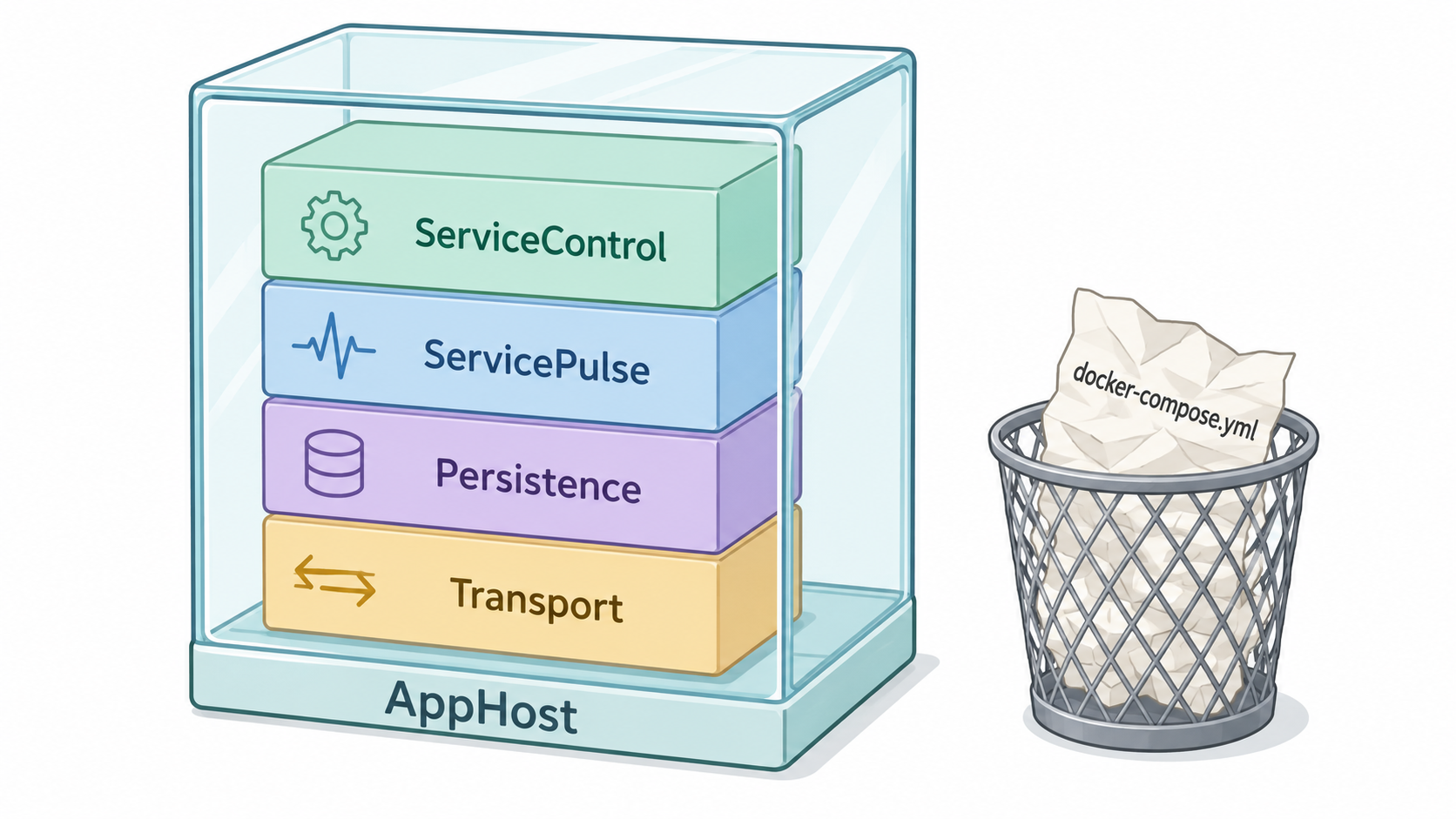
When it comes to developing distributed systems, anyone can spin up a handful of containers. The part that causes us to bang our foreheads on the table is getting the dozen or so settings configured correctly across all of them. This means using the same transport, mapping queue names, and configuring the correct URLs between ServicePulse and each ServiceControl instance. Now, AddParticularPlatform quietly does all of it for you.
Leave your forehead out of it.
🔗Just two snippets
You only need two short snippets to get an NServiceBus solution working on Aspire.
You can easily spin up all of the Particular Platform components for local development under one parent resource:
var builder = DistributedApplication.CreateBuilder(args);

var platform = builder
    .AddParticularPlatform("particular")
    .AddDefaultComponents();
Then attach each NServiceBus endpoint with a single call. The endpoint project never references the Aspire package. It just reads the transport connection string and license from environment variables that Aspire injects:
builder.AddProject<Projects.Sales>("sales")
    .WithParticularPlatform(platform);
Hit F5, and the Aspire dashboard opens with all the platform resources shown:
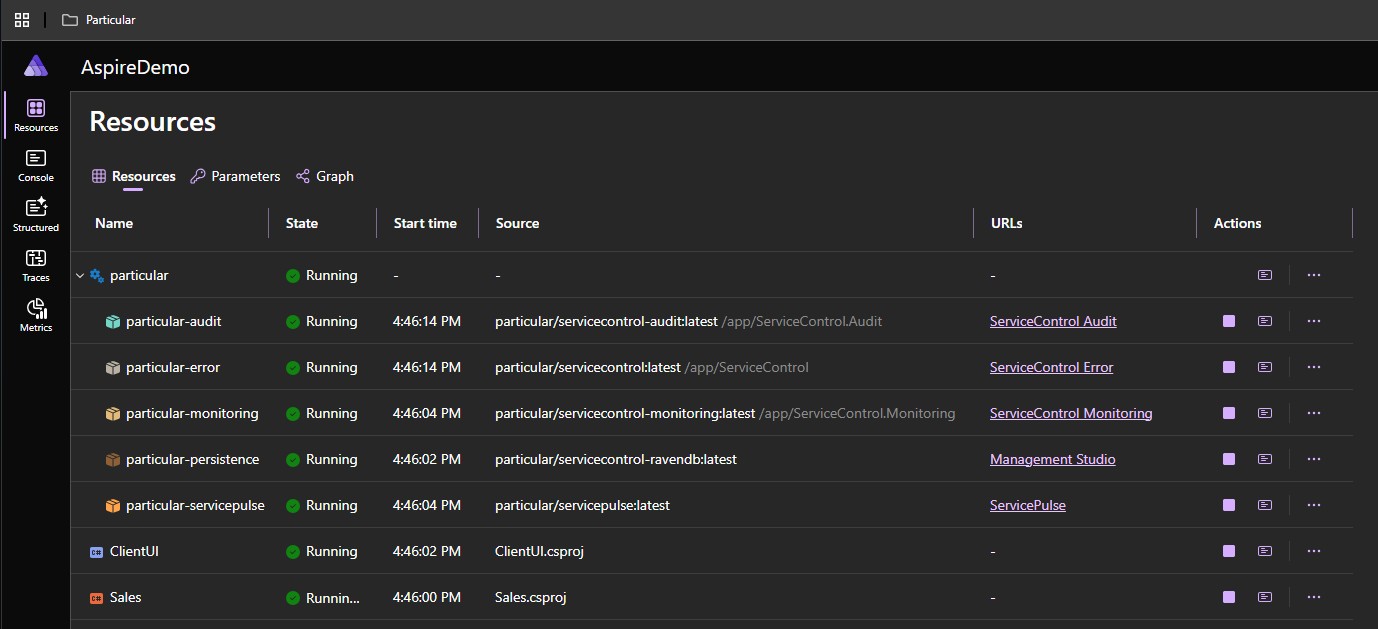
You get one of each kind of ServiceControl instance, ServicePulse, and the database they require, complete with links to open them up if you want to.
Of course, if you want to skip auditing or monitoring, you can do that too. The Aspire integration includes methods to configure it a bunch of different ways…that’s all up to you. But leave the tedious configuration to us.
🔗From F5 to deploy
The defaults make use of the learning transport because it works on a fresh machine with no setup. That’s fine for local development, but not in production.
Use one of the WithTransport{TransportName} extension methods to configure the connection of one of the supported message transports - for example, Azure Service Bus:
DistributedApplicationBuilder builder = DistributedApplication.CreateBuilder(args);

IResourceBuilder<IResourceWithConnectionString> serviceBus =
    builder.AddConnectionString("transport");

builder
    .AddParticularPlatform("particular")
    .WithTransportAzureServiceBus(serviceBus)
    .AddDefaultComponents(); // adds defaults for non-explicitly-defined components
With a production transport, you’re ready to aspire publish or aspire deploy.
Has it ever been that easy?
🔗Give it a try
Want to get started? Add our new Aspire hosting package from NuGet:
dotnet add package Particular.Aspire.Hosting.ServicePlatform
For full details, check out the docs and samples. And if you have any questions, we’re here for you, as always.
 Share on Twitter
About the authors